The code was developed with professional standards in mind, using Unreal’s recommended naming prefixes, consistent commenting, and modular blueprints. This made the game easier to understand, maintain, and expand. The systems could easily be reused for new levels with only small adjustments. I identified a future improvement opportunity: adding more descriptive comments to explain how systems function, rather than only what they do.
University – First Year
This project was made in my first year of university.
-
Timer System
Originally, Level 2 included a monster that chased the player, but I replaced this mechanic with a timer. This kept the level equally challenging but avoided the complexity and performance cost of pathfinding code. The timer was first implemented in a separate blueprint, but casting issues prevented it from displaying correctly on the HUD. To fix this, I moved the timer code into the HUD blueprint. I later used the “get current level name” node to ensure the timer only appeared in Level 2, solving an activation bug.
-
Efficient Level & Key Design
Both levels used the same number of keys, which allowed me to reuse the same door and key code for both. In Level 2, keys spawn randomly, introducing replayability without adding new systems. Additionally, splitting the two levels into separate worlds reduced data load, as the computer didn’t need to hold all assets at once.
-
Destroy Tool
The first feature that I added was the destroy tool, this is used to remove unwanted structures as well as give the player a partial refund for the structure that they destroyed. This involved adding script that would allow the player to use the tool, a script that made the amount of resources that were refunded be shown on screen, and script for actually destroying the structure when the player interacted with it in the correct way.
-
Random Resource Spawning
I also moved onto a more complicated task of making the trees and rocks spawn in random shapes (or clumps) on the map. Much like they would in real life, like a forest of trees for example. My initial attempts at making this script caused the trees and rocks to always spawn in 5 by 5 squares, which was not the desired result. After some trial and error I managed to make the trees and rocks spawn in random shapes, and make these random shapes appear on the map at random locations.
-
Bug Testing
The end of the project was more bug testing and play testing, in order to make sure the game was in a good place to submit. As requested by a producer, I made a list of bugs and brought them up in a group meeting. Many of these bugs were then worked on as a team during the meeting, allowing us to efficiently bring the game to a good end point.
-
Game Theme
As a team, we wanted the game to have an ancient greek theme with a comedy vibe. The game includes two gods as playable characters (Zeus and Poseidon) along with 2 funny characters that the player can use (Jesus with a gun and Bob, who is just a regular man.)
-
Development
During the creation of this project I learned how to make a game menu – a valuable skill which I have used in many games since.
Menu
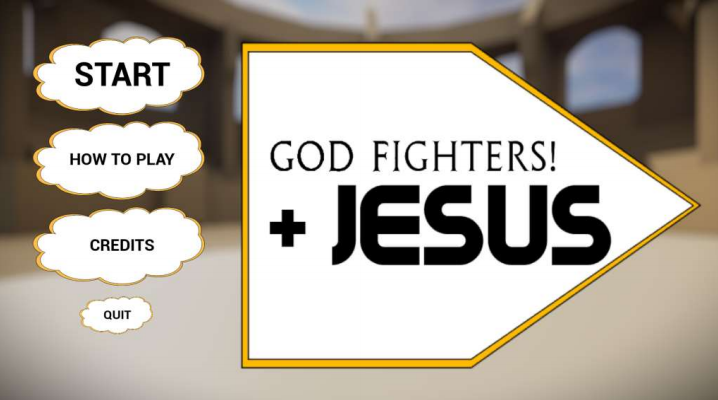
In this project I created the basic menu and also created the art for the menu, such as the buttons, which were clouds, with text on them:

I also learnt how to add a rollover image so that the button would change when you hovered over it. As a result the final menu was created:
Audio Design
There were two members of the group assigned to the audio design of the game. I was given the task of sound effects, and developing the noises in the game. This task involved looking at the different actions we had in the game and looking online for appropriate sounds that were non-copyright and free to use.
-
Movement
When I started this project I learnt how to move objects in Unity. As this was my first time doing a task like this, I did not program it from scratch, instead I found 2 lines of code that rotated an object on stack overflow. However, I had to adjust these lines of code as they did not rotate the object in the correct way. As a result, I was able to successfully create the code that was used in the final game:

-
Art
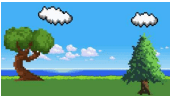
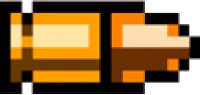
The art style for the game was created using a number of pixel art assets located on the internet that were all free to use and uncopyrighted. These images were then slightly edited in photoshop, to make them fit the task. Backgrounds were removed from the bullets and the scene for the game created by using many different images. Below is the completed scene along with the gun and bullet assets.